
Download Pilot

Download Pilot: Auto-organize downloads & smart rename
Download Pilot is a Chrome extension that auto-sorts downloads into folders by file type and renames files using page context or optional AI—no more cluttered Downloads or cryptic filenames.
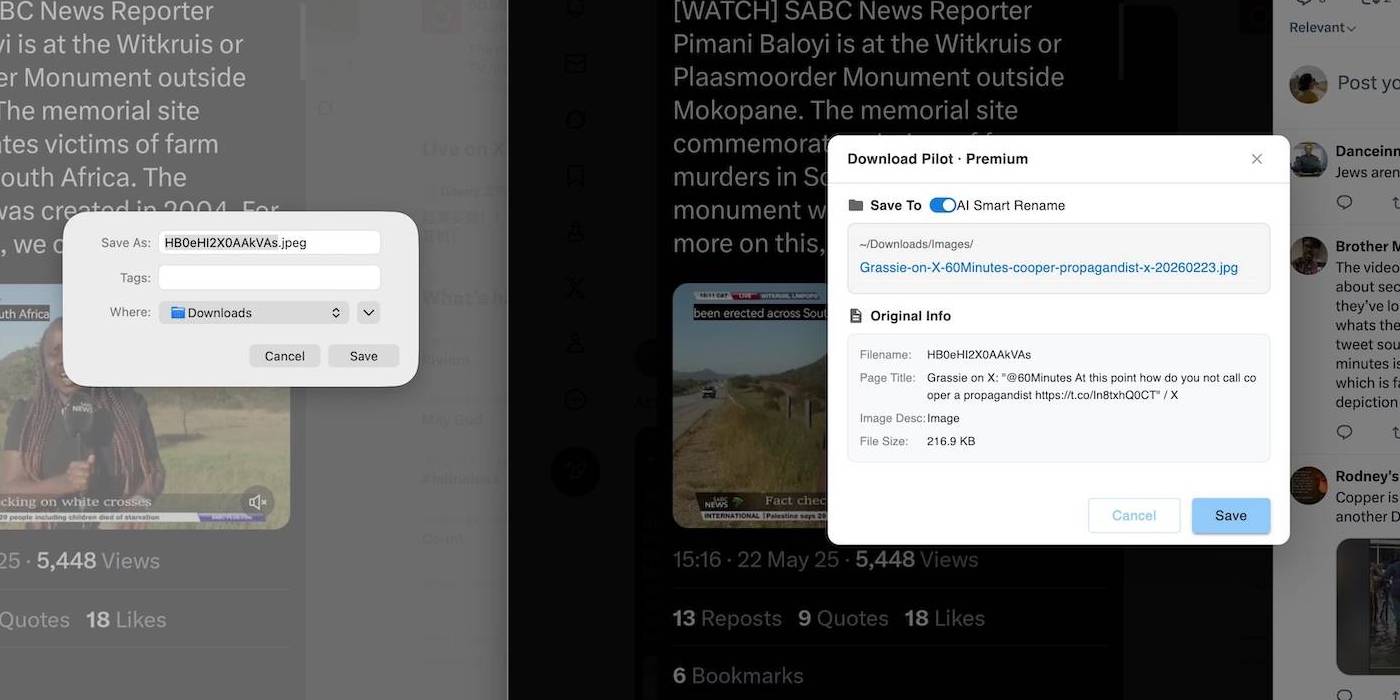
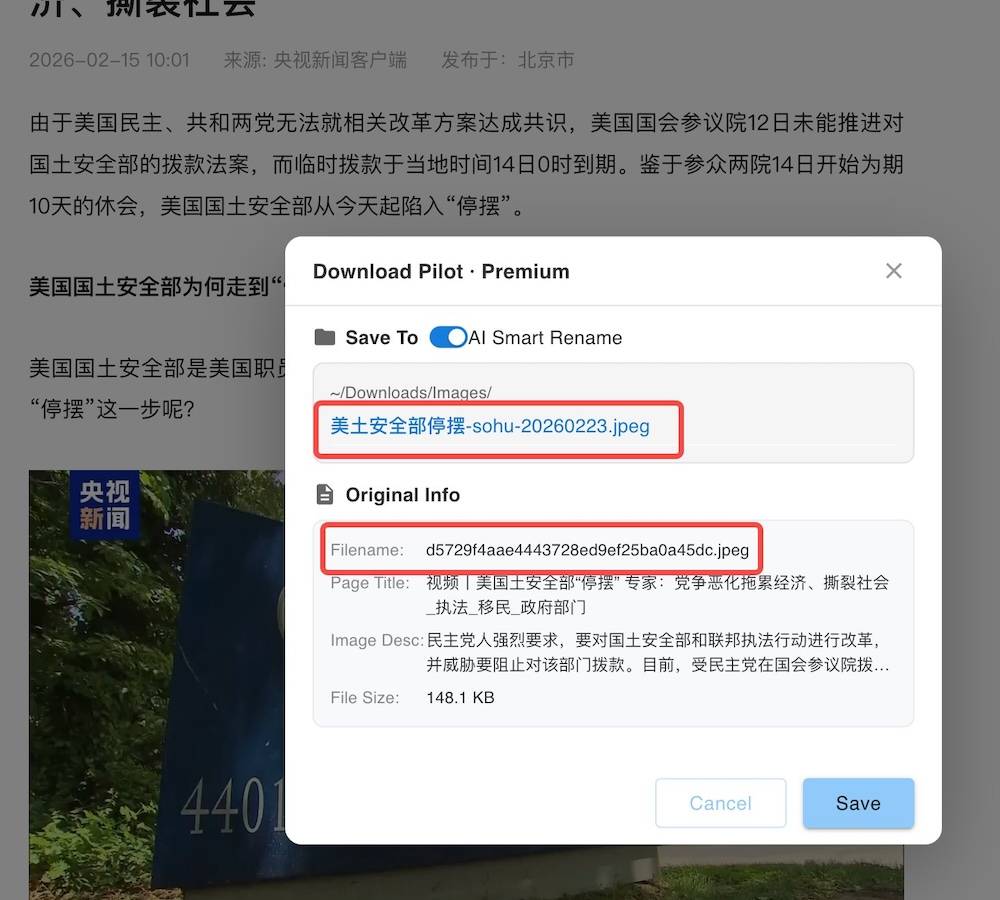
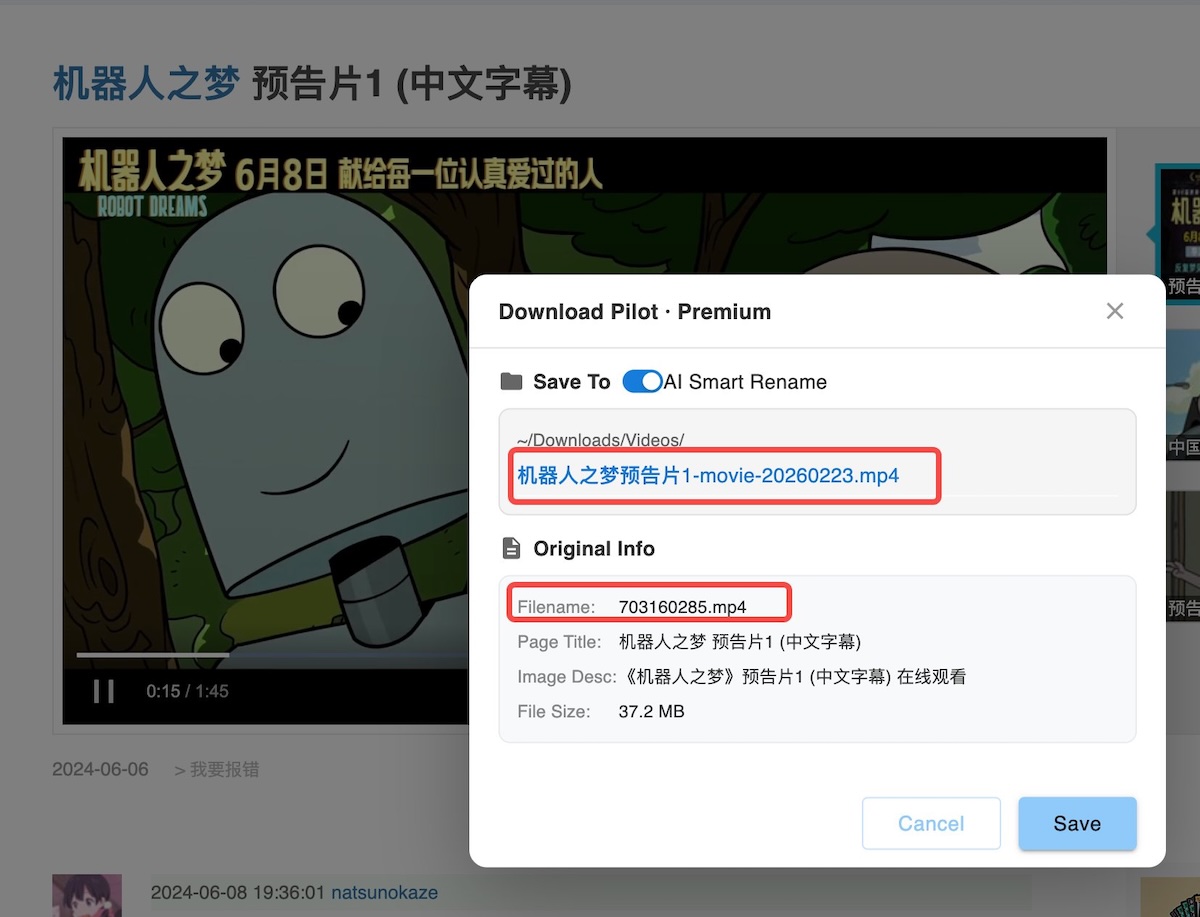
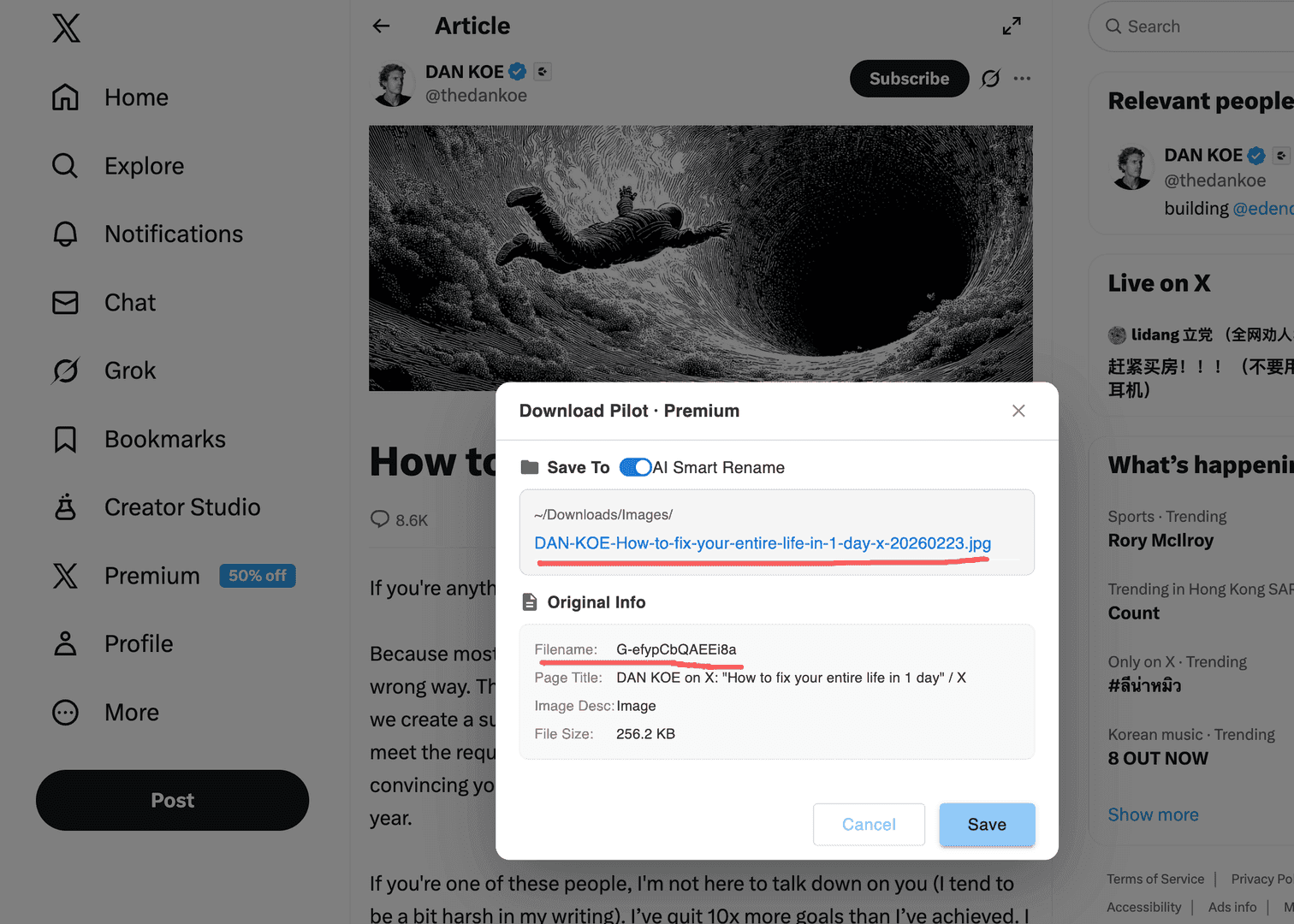
Features
Organize and name your downloads in one flow
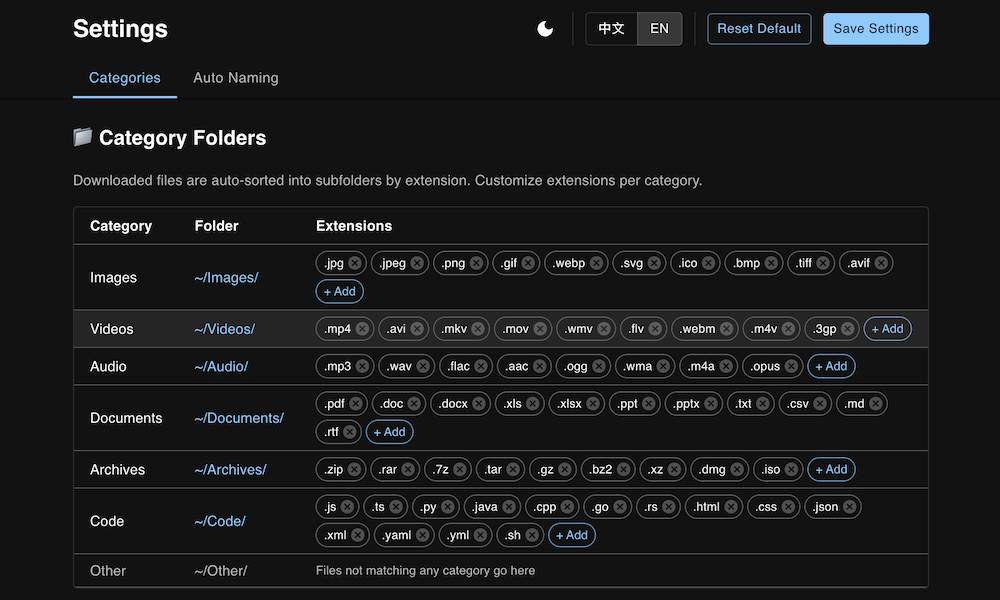
Auto file organization: Downloads go into folders like Images, Videos, Documents, Audio, Archives, and Others as soon as they finish.
Context-aware naming: Use page title, meta tags, alt text, and domain to turn hash-style filenames into readable names.
Optional AI naming + templates: Enable AI only when you need it, and customize rules/templates to match your workflow.
Pro: Auto-sort by file type
Automatically organize downloads into folders like Images, Videos, Documents, Audio, Archives, and Others. Default rules work out of the box.
Pro: Context-aware smart naming
Use page title, meta tags, og:title, image alt text, and domain to convert hash-like filenames into readable, searchable names.
Pro: Optional AI semantic naming
Enable AI only when you need better names (papers, reports, assets). Keep control with clear toggles and privacy boundaries.
Pro: Custom rules & templates
Map extensions to folders, customize folder structure, and use naming templates to match different workflows.
Con: Permissions need clarity
Sorting and naming require download/tab related permissions. AI naming is optional—turn it on only when needed and understand what’s sent.
Con: Page context varies by site
Smart naming depends on the page providing good titles/descriptions/alt text. On some sites, limited context may reduce naming quality.
Plans
Start free, upgrade when needed
Use the default rules out of the box, then customize folders, extensions, and naming templates as your workflow grows.
Free
Perfect for trying Download Pilot and casual use
- Core features of Download Pilot
- Limited downloads per day
- Community support
Premium
One-time purchase, lifetime access to all features
- Unlimited access to all features
- No daily download limits
- Priority support & faster updates
FAQ
Common questions
How auto-sorting works, how naming is generated, privacy & permissions, and optional AI naming—quick answers here.
Download Pilot is a Chrome extension that automatically organizes downloads into folders by file type and generates readable filenames using page context or optional AI—keeping your Downloads clean and searchable.
After a download finishes, Download Pilot routes the file to a folder based on file type/extension (Images, Videos, Documents, Audio, Archives, Others). You can also create custom extension-to-folder rules.
It can use the page title, meta description, og:title, image alt text, link text, and domain to turn hash-like filenames into meaningful names.
Renaming is flexible. You can sort only, rename only certain file types, or enable naming per-site/rule. If a name isn’t ideal, you can fall back to the original filename.
No. AI naming is optional and intended for cases where you want more semantic names (papers, reports, assets). Some AI options may require configuration (such as an API key) depending on your setup.
Naming is primarily based on download info and page metadata (title/description/alt, etc.). If you enable AI naming, only the limited context you configure is sent for naming suggestions; without AI, it won’t use any AI service.
You can map extensions/types to folders and use naming templates (for example, `site-title-date`) to keep filenames consistent. Start with defaults and add rules gradually for a simpler workflow.
Smart naming depends on how much context the website provides. If titles/alt text are missing or noisy, naming quality may drop. Improve by adding site-specific rules, using a better template, or enabling AI naming only for selected types.